Free trial · For the leader who carries the number
Try Management OS for 30 days. Free.
A dashboard shows where each deal sits; finding the one that needs you this week is still your job. About 15 minutes after you connect your CRM, your first brief names it and drafts the move.
The sales management operating system built for leaders and used by their teams: insights, coaching and actions to develop yourself, your team and your business.
Card required. Cancel before day 30 and pay nothing.
Connect in about 5 minutes
Read-only to your CRM
No training on customer data
Then from $1,250 a month, or $12,000 a year
The morning brief on a demo pipeline, before it runs on yours: the desk, the coaching read, the deal score and the meeting prep, in 5 minutes 41 seconds. Watch on YouTube (opens in a new tab)
Connect your CRM in about 5 minutes. Your first brief lands in about 15 minutes. Here is every step, in the order the product runs them.
Create your account
Your email, then a short profile: your name, title and company. It starts reading your company in the background while you connect.
Connect your CRM, read-only
About 5 minutes. You authorize; we read. Management OS never creates, changes or deletes a CRM record. No CRM? Upload a spreadsheet instead.
Read your first brief, then decide
Confirm your priorities and choose when the brief arrives. Your first brief then reads your real pipeline. Only after it do you pick a package and add a card; nothing is charged for 30 days.
Which package? Leader: you plus up to 3 people you manage. Team: you plus up to 5 people you manage. Org: you plus up to 10 people, any mix of managers and reps. Not sure? Start on Leader and change it in Settings.
HubSpot
Salesforce
Attio
Pipedrive
Lightfield
Keap
Zoho CRM
monday.com
Spreadsheets
51 integrations live today. Salesforce asks your admin to approve the connection first. See every integration
This is what lands
What does the first brief show?
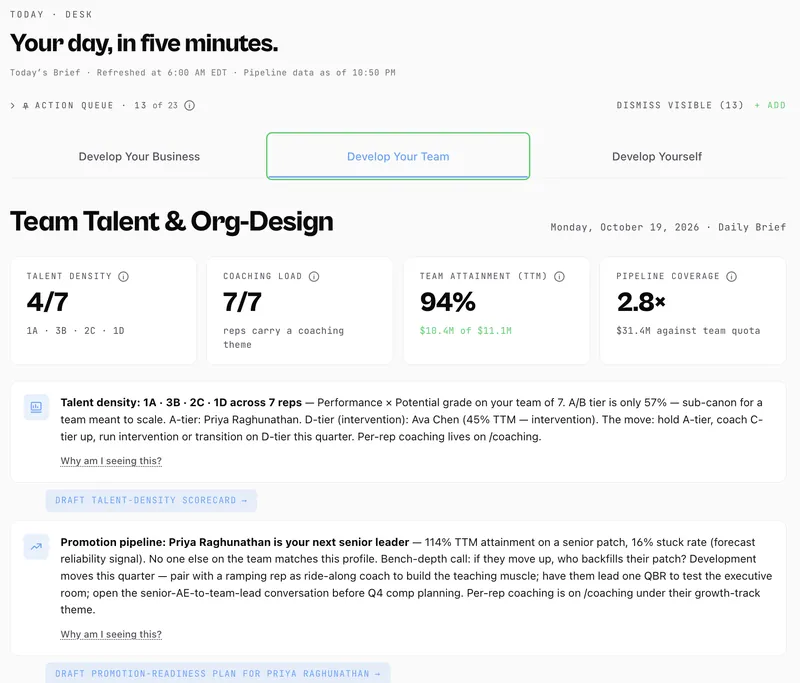
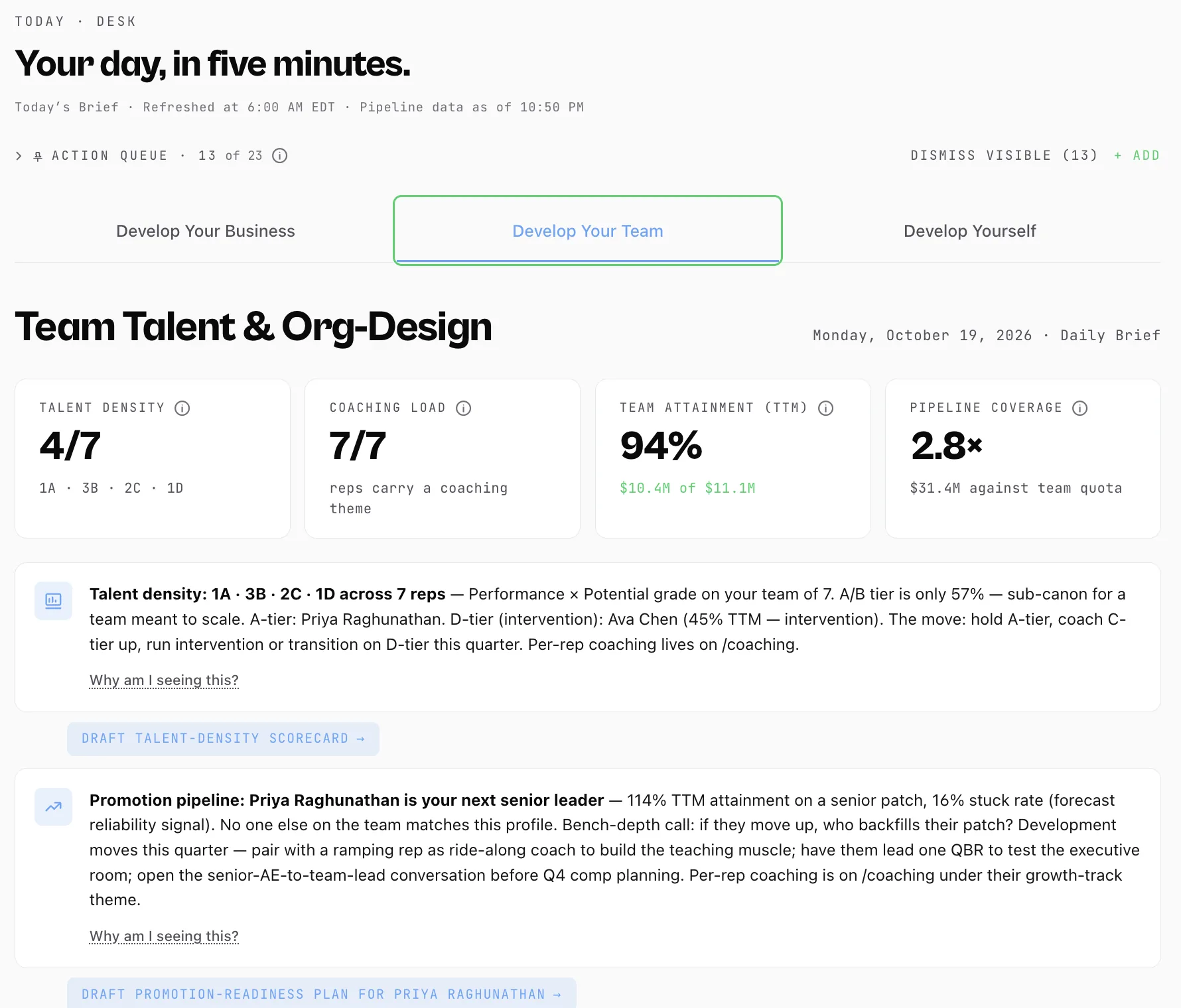
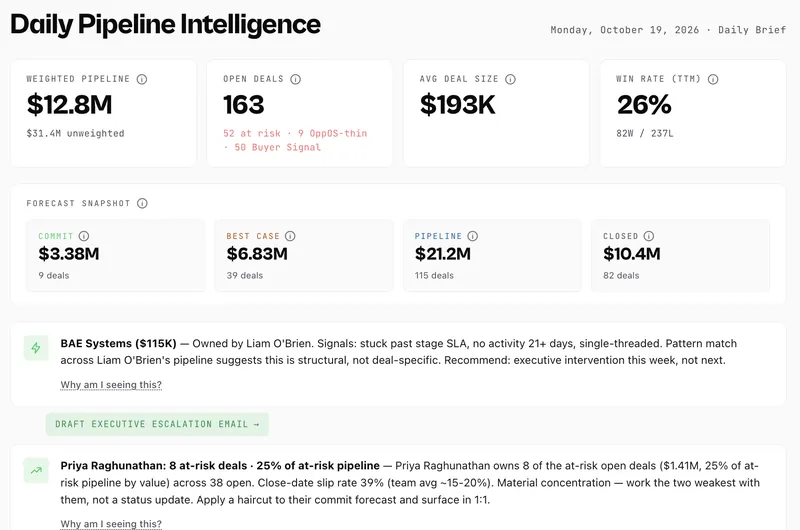
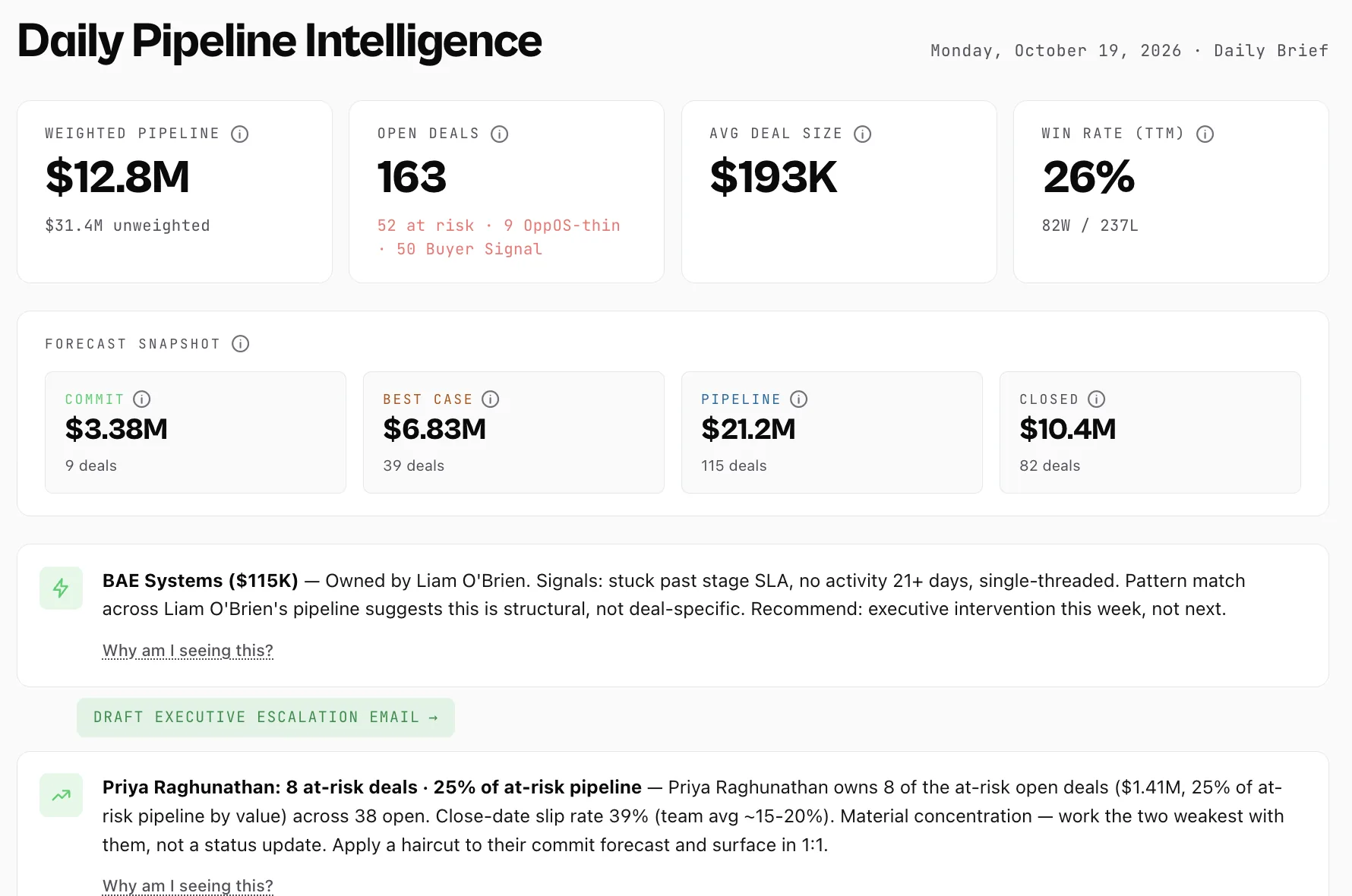
Each item reads the same way: what changed, why it matters and the move, with the work drafted. A dashboard would show the stage. The brief says this deal needs you this week, and drafts the escalation email in one click. Without it, the deal that needed you in week three shows up at quarter end.
Desk · Develop Your Business · Daily Brief
Enlarge
Live product
Every screen here is the live product, on our demo workspace, Cipher Atlas. Its CRM uses real company names as accounts; none of those companies is a Management OS customer.
A call recorder reads your calls. A general assistant answers what you ask. The brief reads your whole pipeline before you ask, and tells you which deal needs you and why. What a general model can't do
Which seat are you?Founder: the deal you are still carrying. First sales leader: the rep who needs you this week. New CRO: the forecast you can defend.
Watch · 1:10
Clarity in 15 minutes
Imperfect data, a quarter that is not waiting, one more tool to learn. What about 15 minutes with your CRM connected gets you instead. Watch on YouTube (opens in a new tab)
Half of sellers feel overwhelmed by the technology their job requires; overwhelmed sellers are 45% less likely to hit quota. Gartner, 2024
Skepticism is the right instinct
Every risk you're weighing.
You are handing over your pipeline. Here is where each risk lands, before you decide.
Financial and time risk
“What if it doesn't work?”
30 days free on the full package, with your team. Card on file, nothing charged before day 30. Keep it and you pay the package you chose; change it any time in Settings.
Output and quality risk
“What if the AI gives generic or wrong advice?”
You approve what goes out. Emails, 1:1 agendas and escalations arrive as drafts for you to send. Every item in the brief has a “Why am I seeing this?” link, so you can check its work instead of trusting it blind.
Fit and methodology risk
“What if it doesn't fit how we sell?”
You don't adopt a new framework. It reads whatever your team already runs (MEDDPICC, SPICED, Challenger or your own blend) and lines up your deal stages, so every rep's pipeline is judged the same way.
If it earns its place, keep it. If not, we part friends.
It becomes your package on day 30 unless you cancel in Settings first. No retention gauntlet, no guilt.
Card required. Cancel before day 30 and pay nothing.
The method came first. The software runs it every week.
Jason Mesiarik spent twenty years leading revenue teams and training the people who run them. Management OS runs the operating rhythm he used, on your own data, every week.
Results Jason led as an operator, using the method Management OS now runs. They are his results, not Management OS customer results.
Read-only to your CRM. Management OS never creates, changes or deletes a CRM record. No training on customer data. Trust & Security · Sub-processors · DPA
Questions
Before you start
Which CRMs work?
HubSpot, Salesforce, Attio, Pipedrive, Lightfield, Keap, Zoho and monday.com, among others, or a spreadsheet if you don't run a CRM. 51 integrations are live today, and Salesforce asks your admin to approve the connection first.
Which package does the trial run on?
The one you pick at checkout, after your first brief: Leader, Team or Org, with the full scope of that package. Not sure? Start on Leader; you can change it in Settings.
Can my team use it during the trial?
Yes. The trial runs on the full package, with your team and your data.
What happens on day 30?
The trial becomes the package you chose at checkout, unless you cancel in Settings before then. Leader, for you plus up to 3 people you manage, is $1,250 a month, or $12,000 a year billed yearly. Team and Org cover more people, and every package is on the pricing page.
On day 30 the trial becomes the package and billing you chose at sign-up, unless you cancel: from $1,000 a month billed yearly, or $1,250 billed monthly. See every package.