Everyone connects your data. We turn it into the moves that matter.
You connect Salesforce, HubSpot, Pipedrive or another CRM, with your calendar, email and recorded calls, once. Each morning you get what changed, why it matters and the move to make.
Sellers who effectively partner with AI tools are 3.7 times more likely to meet quota. Gartner, 2024
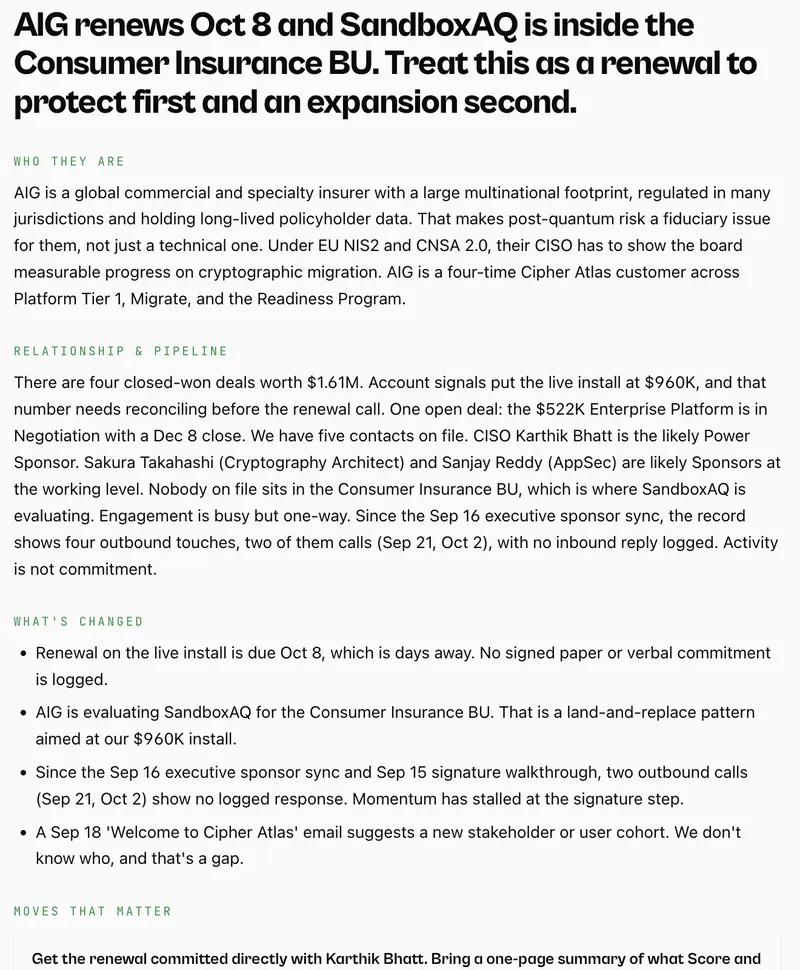
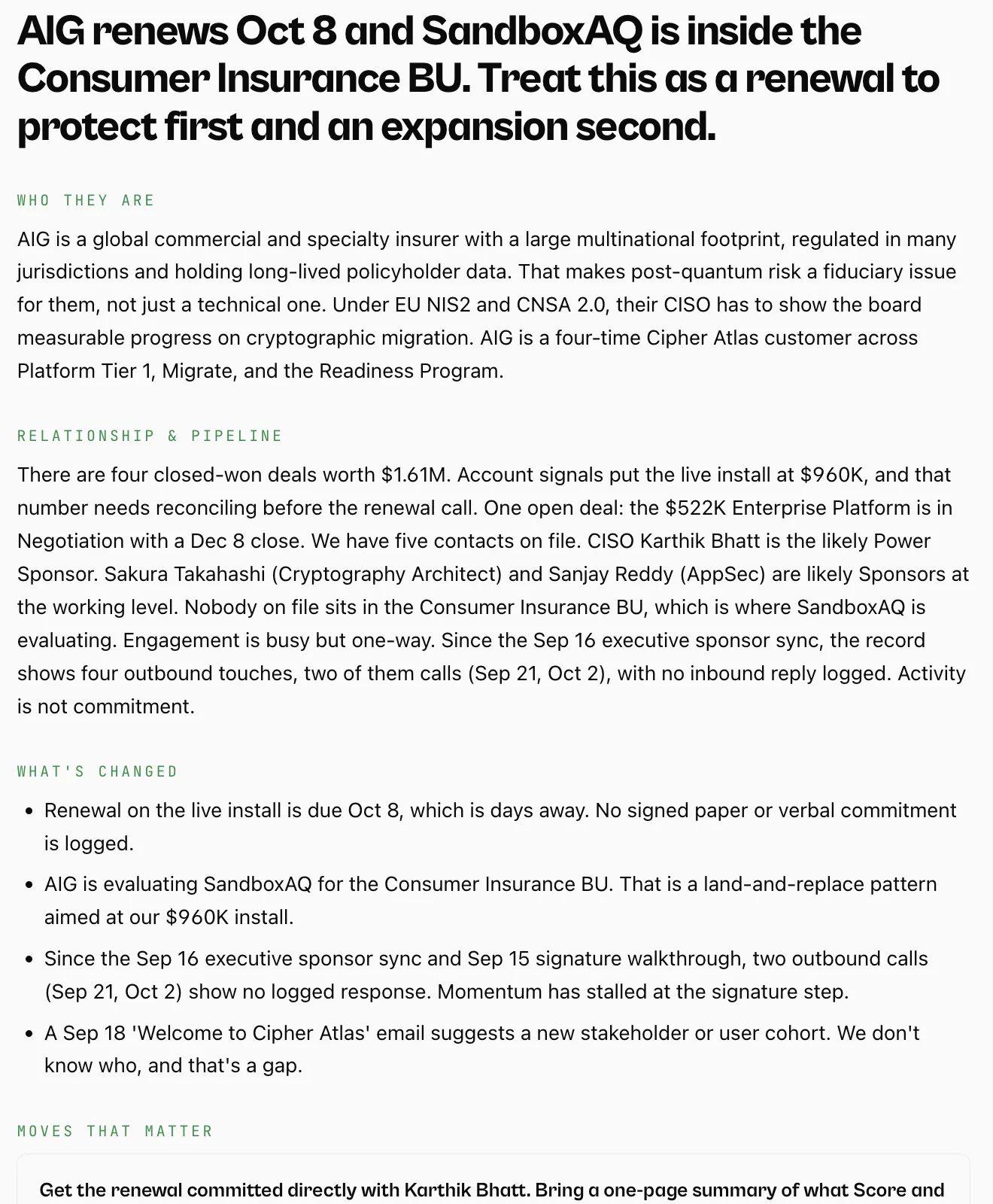
Accounts · AIG · Executive brief
Enlarge
Live product
Every screen here is the live product, on our demo workspace, Cipher Atlas. Its CRM uses real company names as accounts; none of those companies is a Management OS customer.
Connection is table stakes
A single source of truth is still a pile.
Most integration pages stop at the sync: your apps connected, your contacts and pipeline copied across. That tells you the data is here. It doesn't tell you what it means, or what to do about it.
Feature
A connector gives you
What you see
Accounts
Company size, industry and activity, synced into fields.
Which accounts are growing, which are at risk, and what changed this week.
Opportunities
A stage and an amount in a pipeline report.
Each deal scored on evidence, which deals are starting to slip, and the next step drafted.
Contacts
Names, titles and last-touched dates.
The buying committee: champion or coach, who went quiet, and who to reach next.
Reports
Charts of what the CRM already holds.
What changed, why it matters and the move, every morning.
Today that reading happens on your Sunday, across the account, the deal and the people. Connecting the pipes is the easy part. Management OS reads what flows through them.
Reading across sources
What does reading across your data look like?
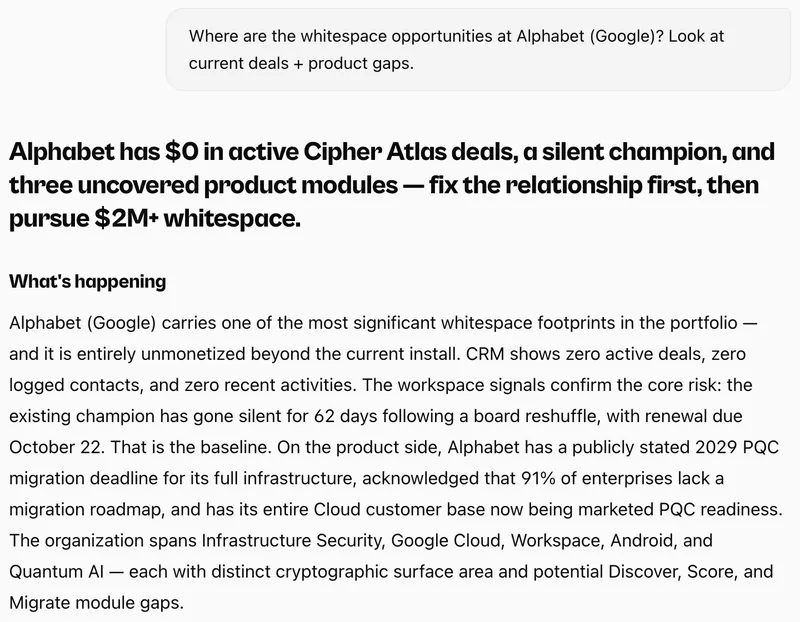
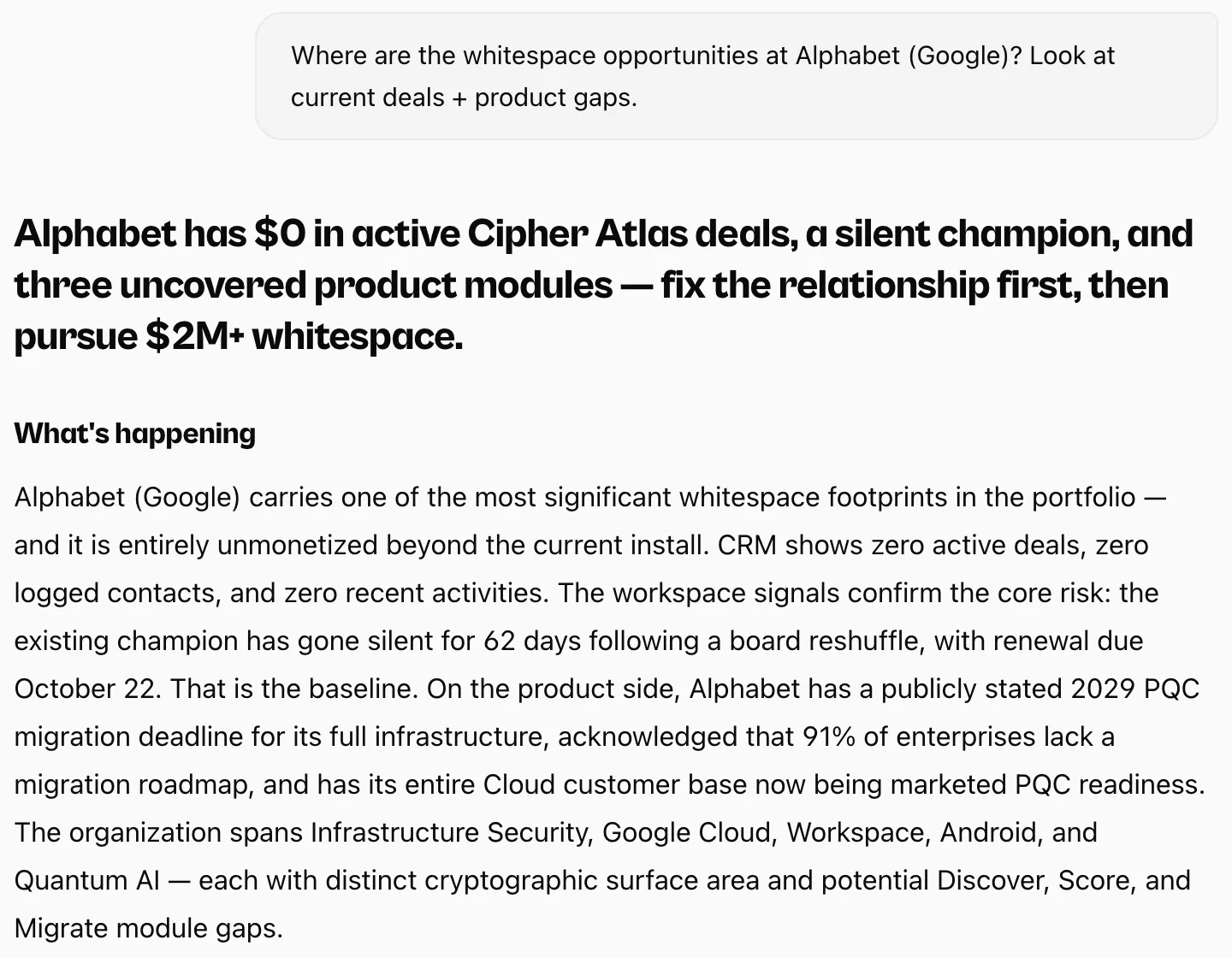
One question about one account. The answer reads the CRM and public information together, names what changed and ends on what to do.
Ask · Alphabet whitespace
Enlarge
Live product
Connect everything
Which tools does Management OS connect to?
52 integrations across 15 categories are live today, plus built-in web research and a webhook: a web address any other tool can send updates to. Linked names open a setup guide; the rest connect from Settings in the app.
CRMAccounts, deals, contacts and activities, read-only. A spreadsheet or the webhook covers anything else.
Buyer personalityPersonality profiles for your contacts, to plan the conversation.
Crystal Knows
Humantic AI
Marketing and intentEngagement and buying intent on your open-deal accounts, read daily. Demandbase intent is in beta at Demandbase, and 6sense buying stage needs 6sense's Advanced package.
DesignYour brand, so the decks it makes match: Canva templates and Figma design tokens.
Canva
Figma
Third-party names are trademarks of their respective owners and are shown to indicate supported connections, not affiliation or endorsement. The count is the active connections in the product catalog, including spreadsheets and the inbound webhook; Kixie, BoldSign, Zapier, n8n, Make and Stripe connect through the webhook.
For whoever connects it
How does connecting work?
You grant read-only access from Settings, an admin approves where the tool asks for it, and the first sync starts as you connect.
Start the trial, then pick a tool
Connect from Settings in the app, or with a setup guide. Your CRM connection is read-only.
An admin approves, where asked
Salesforce orgs that require it, and Gong, ask an administrator to approve the connection once.
The first sync starts right away
Then every morning: what changed, why it matters and what to do.
For RevOps: what it reads, with what access, and how often
Feature
Salesforce
HubSpot
What it reads
Accounts, contacts, opportunities, tasks and events, plus your users and who they report to.
Companies, contacts and deals with their associations, owners and pipeline stages, plus the emails, meetings, calls and notes logged on them.
Deal fields
Name, stage, amount, close date, created date, open or closed, won or lost, account and owner.
Name, pipeline, stage, amount, close date, created date, deal type and owner.
Custom fields and objects
Not read. It reads the standard objects and fields above.
Not read. It asks for a fixed list of named properties, so your own custom properties aren't requested.
Access it asks for
The standard api, refresh_token and offline_access scopes. It sees only what the connecting user can see under their profile, permission sets and sharing rules.
Read scopes only: companies, contacts, deals, owners and sales email.
CRMs. Salesforce, HubSpot, Pipedrive, Zoho CRM and Keap: a first sync as you connect, then every 2 hours.
Calendar and email. Google and Microsoft 365: every hour.
Recorded calls. Zoom, Fathom and Fireflies every 2 hours; Gong sends each call when it ends.
Marketing intent and QuickBooks. Once a day.
A Salesforce sandbox connects on request through support@mgmt-os.ai. The Salesforce and HubSpot guides list every scope and the feature it serves.
Your CRM is on the list? Connect it.
Connect your CRM in about 5 minutes. Your first brief lands in about 15 minutes. Every package includes every integration.
Card required. Cancel before day 30 and pay nothing.
The method came first. The software runs it every week.
The sales management operating system built for leaders and used by their teams: insights, coaching and actions to develop yourself, your team and your business. Jason Mesiarik spent twenty years leading revenue teams and training the people who run them; Management OS runs the operating rhythm he used, on your own data.
Results Jason led as an operator, using the method Management OS now runs. They are his results, not Management OS customer results.
Read-only to your CRM. Management OS never creates, changes or deletes a CRM record. No training on customer data. Trust & Security · Sub-processors · DPA
Questions
About connecting your stack
Which CRMs does Management OS connect to?
HubSpot, Salesforce, Pipedrive, Zoho CRM, Keap, monday.com, Attio and more, or a spreadsheet. In Salesforce orgs that require it, your admin approves the connection first.
Does Management OS write to my CRM?
Read-only to your CRM. Management OS never creates, changes or deletes a CRM record. It writes only where you deliver your work: briefs and alerts to the Slack channels or Notion page you choose, a Doc you export to Google Drive, and the webhook it registers with a tool you connect so new records reach it.
How fresh is the data in my brief?
The first sync starts as soon as you connect. After that, your CRM is read again every 2 hours and your calendar and email every hour. Zoom, Fathom and Fireflies recordings come in every 2 hours, Gong sends each call when it ends, and marketing intent and QuickBooks are read once a day.
What happens when I disconnect a tool?
You can disconnect any source at any time, and request export or deletion of your data. Where Management OS registered a webhook on connect, as it does with Gong, Calendly and Guru, the webhook is deleted when you disconnect.
What access does each connection ask for?
The Salesforce, HubSpot and Gong guides list every scope and the feature it serves. Salesforce asks for its standard api scope, and Management OS reads only what the connecting user can already see. HubSpot asks for read scopes on companies, contacts, deals, owners and sales email. Either way, nothing is written to your CRM.
Your pace
Connect your stack. See the moves it's been hiding.
On day 30 the trial becomes the package and billing you chose at sign-up, unless you cancel: from $1,000 a month billed yearly, or $1,250 billed monthly. See every package.